Services / Enterprise software implementation / Dynamics 365 Business Central
Business Central: ERP for growing businesses
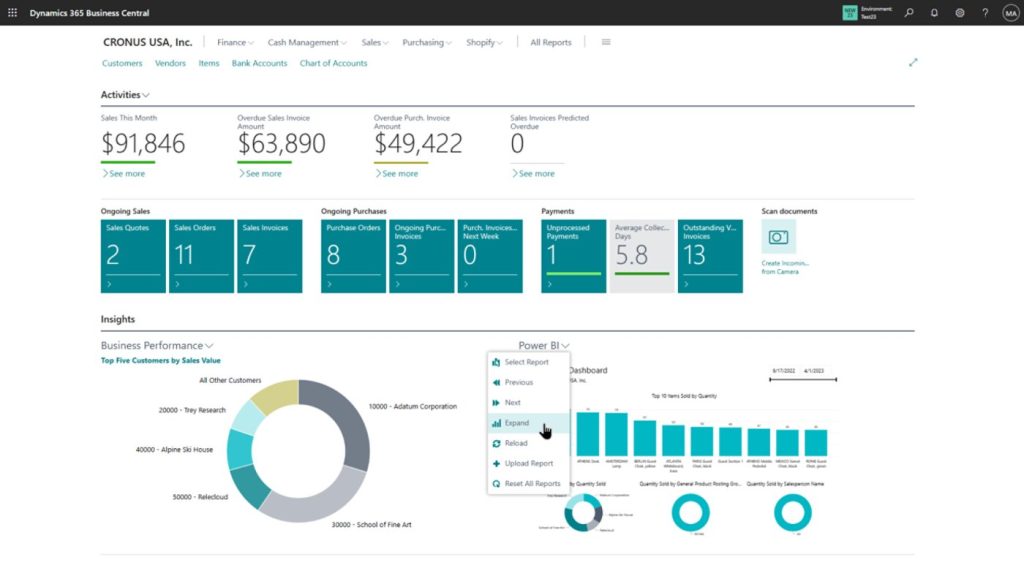
Dynamics 365 Business Central is an ERP for small and mid-sized businesses, covering finance, sales, purchasing, inventory, manufacturing, projects and service. We implement it quickly and carefully so your team can run on it with confidence.
Overview
Business Central brings core business functions into one system, with options to run in Microsoft's cloud or on-premises.
It connects naturally to the Microsoft tools many small and mid-sized teams already use, and can be extended with apps and low-code tools.
We focus on a clean start: a clear scope, tidy data, sensible approvals and training that fits how your people work.
Why organisations choose Dynamics 365 Business Central
Fast to adopt
A focused scope gets growing businesses live quickly.
A familiar experience
Feels natural to teams used to Microsoft tools.
Cloud or on-premises
Choose the deployment that fits your requirements.
Room to extend
Add apps and integrations as needs change.
Who benefits
Owners and managing directors
One system for the whole business and clear numbers.
Finance managers
Cleaner books and faster month-end.
Warehouse and purchasing teams
Accurate stock and simple purchasing.
What we do
Scoping and fit-gap
Define what is in the first release and where standard features fit.
Finance and operations set-up
Chart of accounts, dimensions, inventory, purchasing and sales.
Data migration
Clean, map and validate master data and balances.
Extensions and integration
Add apps and integrations only where they add value.
Training
Role-based training with real scenarios.
Support
Go-live support, enhancements and upgrades.
Areas we cover
- Financial management
- Sales and purchasing
- Inventory and warehouse
- Light manufacturing
- Projects
- Service management
- Reporting
- Integrations
A proven path for Dynamics 365 Business Central
- 01
Scope
Agree the first release and the plan.
- 02
Configure
Set up finance, stock and sales.
- 03
Migrate
Load clean data and test.
- 04
Train and launch
Train users and go live.
- 05
Improve
Support and extend.
Case studies
Programme-scale examples of how we have delivered Dynamics 365 Business Central for organisations in different industries.

Stock, purchasing and finance for a growing wholesaler
Stock, purchase orders and invoices lived in separate spreadsheets and an old accounting package, so stock levels were unreliable and month-end took many days.
Result. Stock matched reality and stock-outs fell.
Read the case study
Job costing for a regional contractor
Job costs were tracked in spreadsheets, subcontractor claims arrived late and overruns were seen only at completion.
Result. Overruns were seen earlier and acted on.
Read the case study
Production and stock control for a small manufacturer
Materials were short on some jobs and excessive on others, and costing was a rough estimate.
Result. Material shortages reduced.
Read the case study